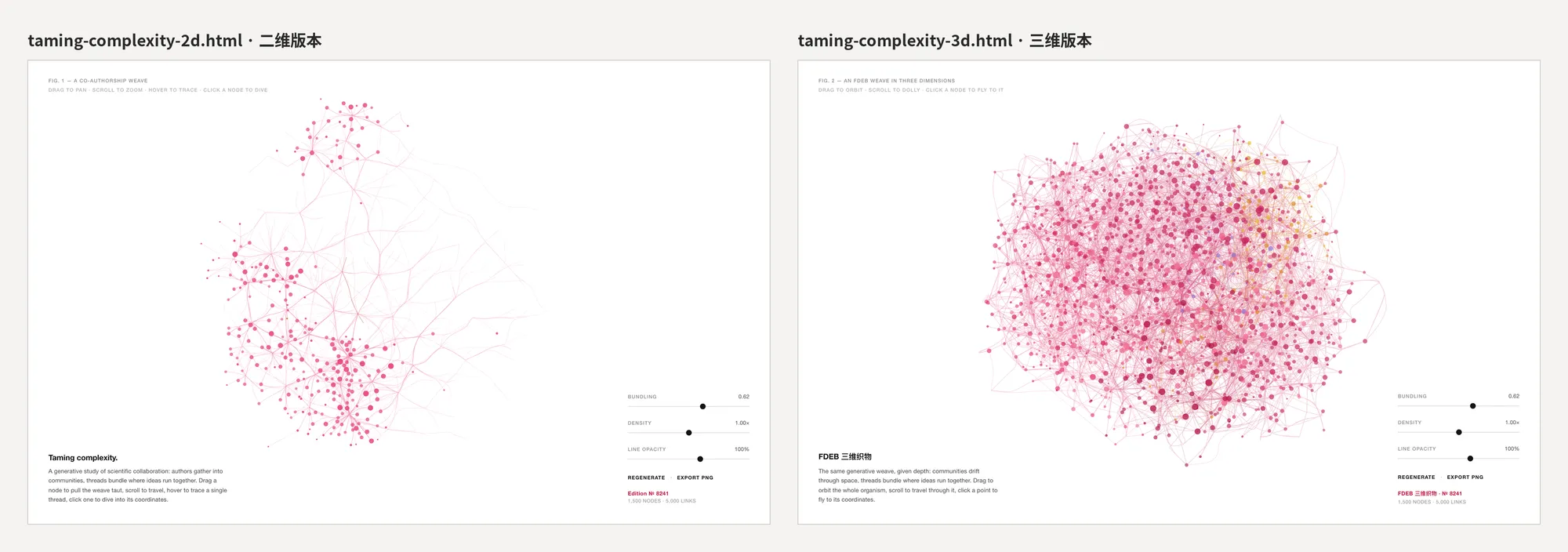
面对一张密集的网络艺术图,设计师需要把静态视觉转成可探索的交互作品:保留细线、节点和留白,同时考虑悬停、缩放和空间视角。这个案例从一张参考图和英文需求出发,在 AutoClaw 设计专家的同一任务中逐步延展到三维网络。
第一步:提供参考图,并说明视觉与交互
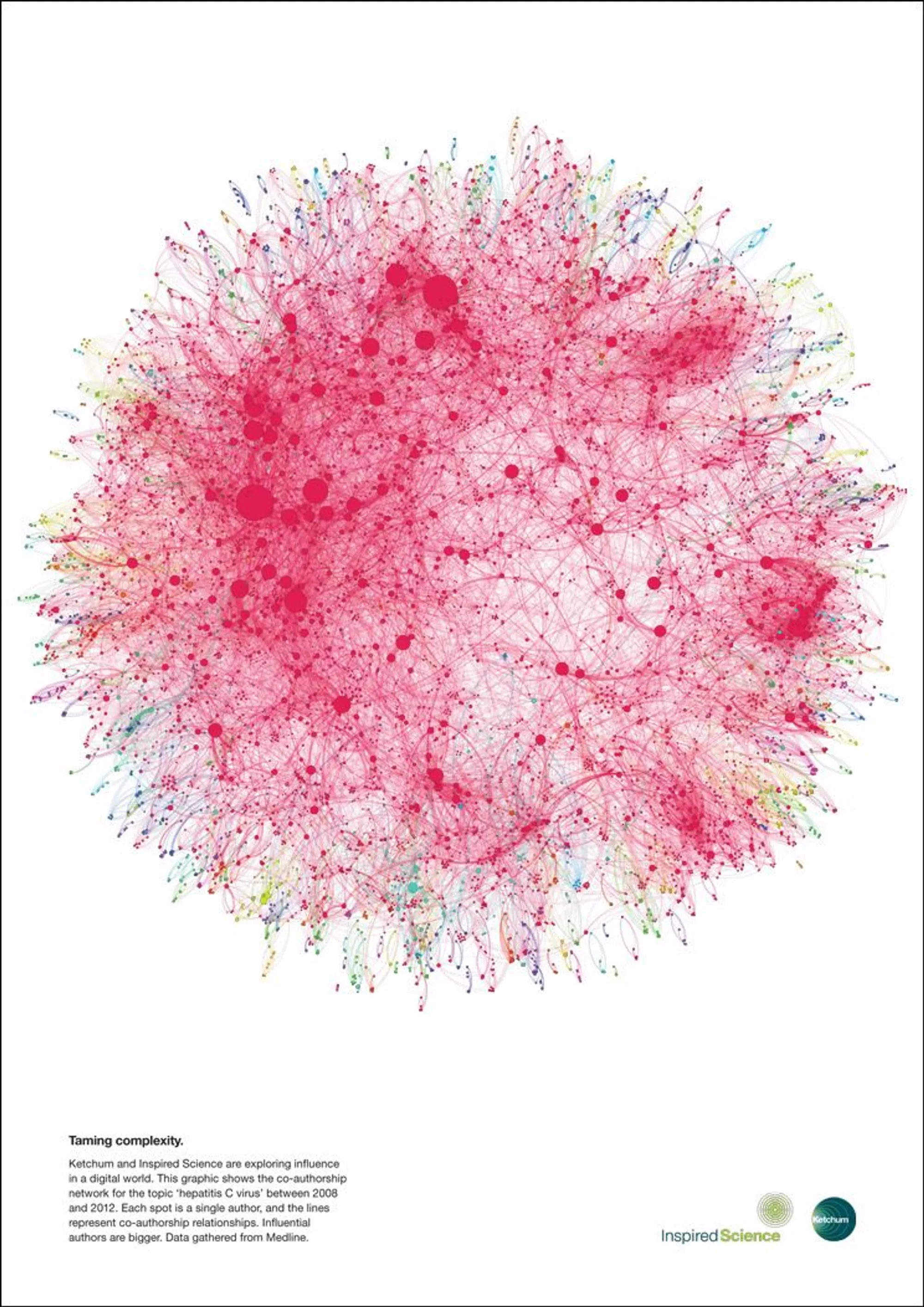
这次使用 GLM-5.3-Flash。最初输入是一张参考图片和一份文本附件:画面以白底、粉红细线与大小不一的节点为主,需求同时提出网络布局、边捆绑、悬停高亮、缩放和平移等交互,并希望交付完整应用。
实际提交的完整文本附件如下,另附参考图:
Build an interactive generative network visualization website inspired by the provided reference image.

**Visual Style**
- Minimalist editorial data art, inspired by scientific network visualization and generative design.
- Pure white background with a large, organic, nearly circular network structure centered on the canvas.
- Thousands of tiny nodes connected by extremely thin, semi-transparent, flowing curved lines.
- Dominant colors: vivid pink, crimson, and soft rose, with subtle accents of cyan, green, yellow, and violet.
- Vary node sizes according to connectivity, creating prominent hubs surrounded by dense clusters.
- Create a delicate, intricate, thread-like appearance with layered transparency and natural visual complexity.

**Algorithm**
- Implement Force-Directed Edge Bundling (FDEB), combining spring forces, edge attraction, and smooth curve interpolation.
- Use D3.js for force-directed node positioning and edge bundling.
- Generate a realistic clustered network with approximately 1,500 nodes and 5,000 connections.
- Render using HTML Canvas for performance.

**Interactions**
- Smooth zooming, panning, and node dragging.
- Hover to highlight connected nodes and relationships.
- Adjustable sliders for bundling strength, network density, and line opacity.
- Subtle animation showing the network gradually forming.
- Regenerate the network and export the visualization as a high-resolution PNG.

**Layout**
- Full-screen responsive visualization.
- Large central network artwork with generous white margins.
- Small editorial-style title and description in the bottom-left corner.
- Minimal, unobtrusive controls in the bottom-right corner.

**Tech Stack:** React, TypeScript, D3.js, HTML Canvas, and Web Workers for heavy computation.

Prioritize visual fidelity to the reference image, smooth interaction, and mathematical authenticity.

Build a fully functional interactive application, not a static illustration. Avoid generic dashboard UI, cards, gradients, heavy shadows, and unnecessary decorative elements.
需求里同时给出了节点数量、算法和交互清单,画面风格与操作方式都落在这份文本里。
第二步:从线条可见性推进到三维版本
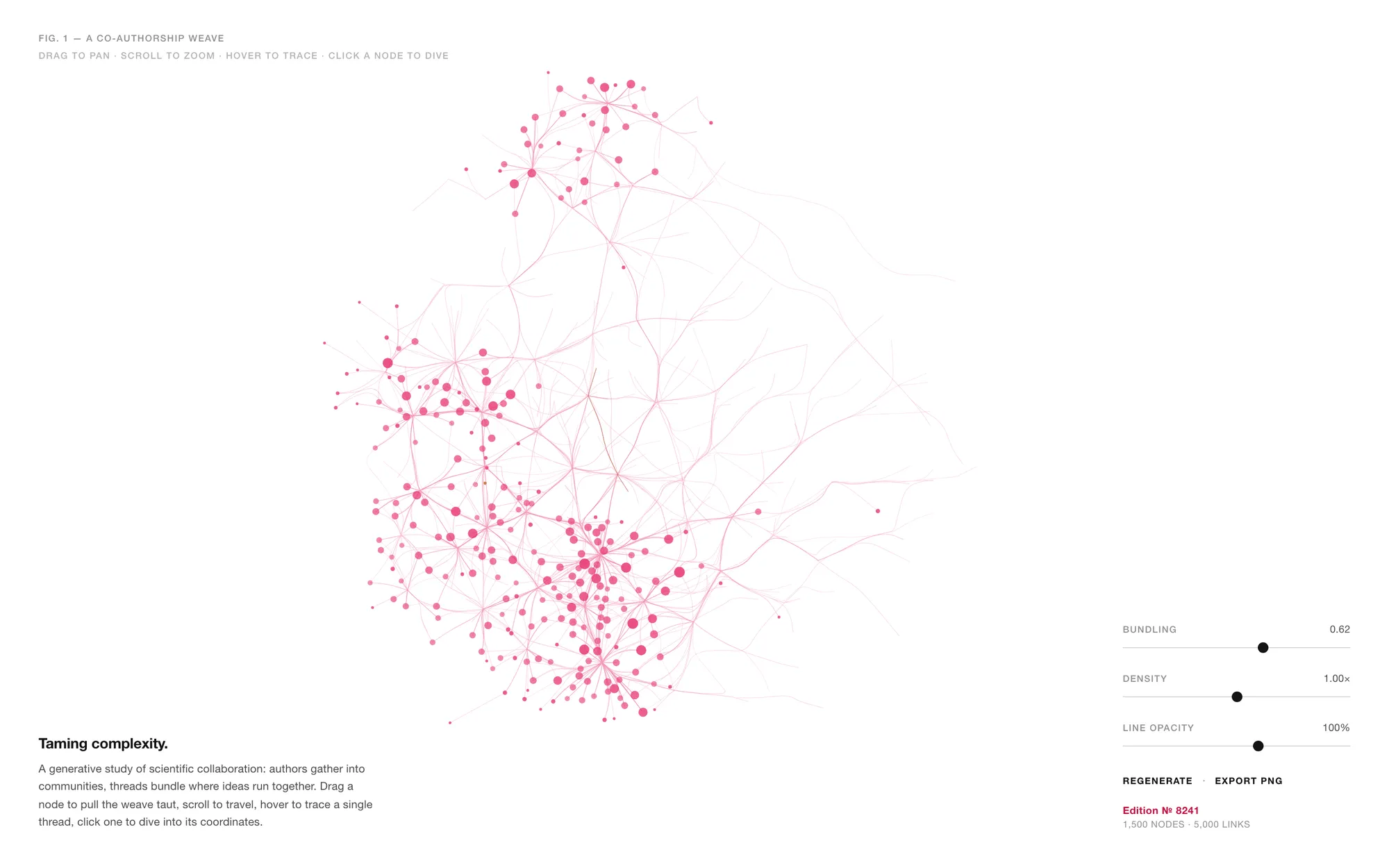
查看二维版本后,用户发现有些线似乎要悬停才显示,于是在原任务中提出反馈。随后又提出点击节点定位、制作可旋转三维版本。设计专家的回复说明了相应调整,并交付二维和三维 HTML 文件。
这些后续要求与最初的参考图共同构成了案例:
反馈一:部分线条默认不可见,似乎需要悬停才显示,希望默认状态下即可看清全部线条。
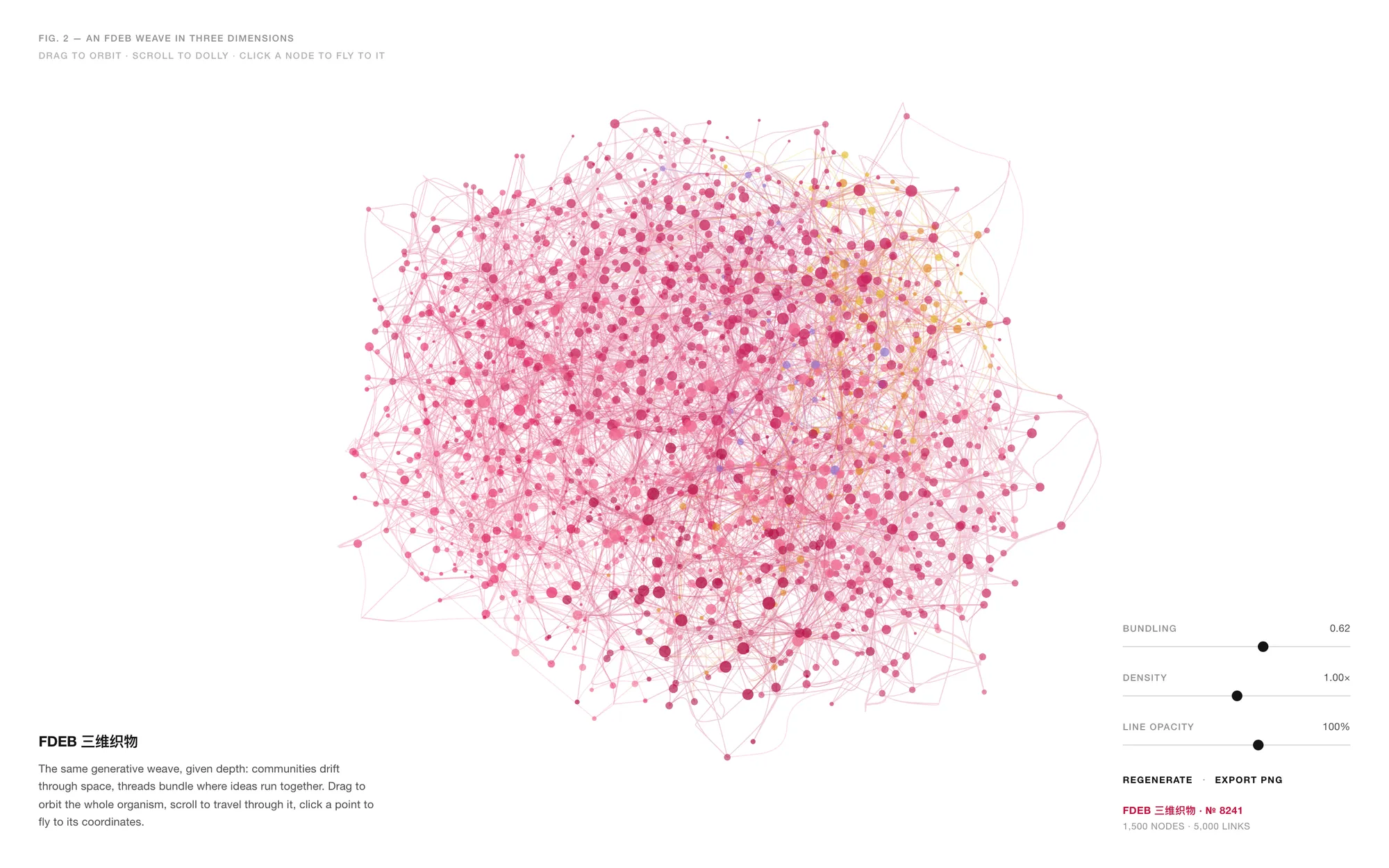
反馈二:希望增加点击节点定位,并制作一个真正可旋转的三维版本。
后续用户将三维作品命名为「FDEB 三维织物」。交付包含二维与三维两个 HTML 及源码:二维可缩放、平移、悬停高亮;三维可拖拽绕行、点击节点定位。针对线条可见性反馈,最终版在控制面板中提供了「线条不透明度」滑杆,线条可见不再依赖悬停;页面提示文案也会在载入后自动淡入。
用 AutoClaw 根据参考图制作 AI 交互视觉
把参考图、视觉语言和交互目标放在同一份需求中,可以为生成艺术项目建立清晰的起点。拿到原型后,再围绕线条可见性、空间浏览和节点反馈提出具体修改,有助于逐步完善作品。
常见问题
只有参考图片,应该补充什么?
可以说明想保留的色彩、布局、线条和节点特征,并写清希望观众如何操作。
可以在原任务中调整视觉效果吗?
可以。本例在原对话中反馈了线条可见性问题,并提出三维版本的需求,交付里同时保留二维与三维两个版本。
二维和三维版本有什么区别?
两者是同一套算法的两个版本:二维负责看清线与节点的走向,三维负责看社区在空间里的分布,交付里都包含。